Digital Membership Cards
Memberships are going digital!
Phoenix Zoo members can now add their memberships to their phones through the PassPlay app.
As part of the Zoo’s ongoing commitment to conservation and sustainability, this change helps us reduce our plastic footprint and support our broader conservation efforts by moving away from printing physical plastic cards. It’s a small change that aligns with the work we do every day to protect wildlife and natural resources.
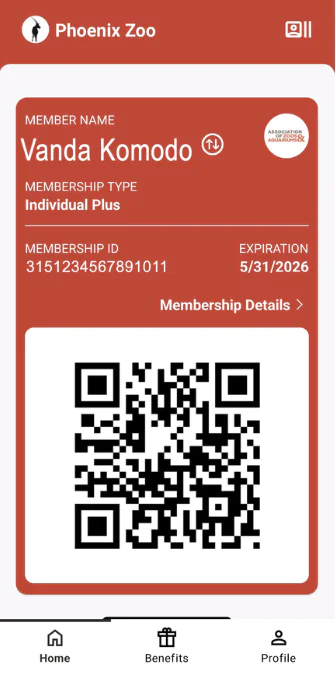
The digital card functions the same as your physical membership card. You can use it for Zoo entry and to receive your in-park member discounts. Once downloaded, you can access your card directly in the app or add it to your mobile wallet for quick and easy use during visits.
Existing physical cards will be valid for the remainder of the membership year. Physical cards can be requested for a $10 fee if the card is lost or if the membership changes/renews. You can request a card by calling the Contact Center at 602.286.3800 or by visiting the Guest Services Lobby or Membership Booth during your next visit to the Zoo.
HOW TO ADD YOUR MEMBERSHIP TO PASSPLAY:
STEP 2
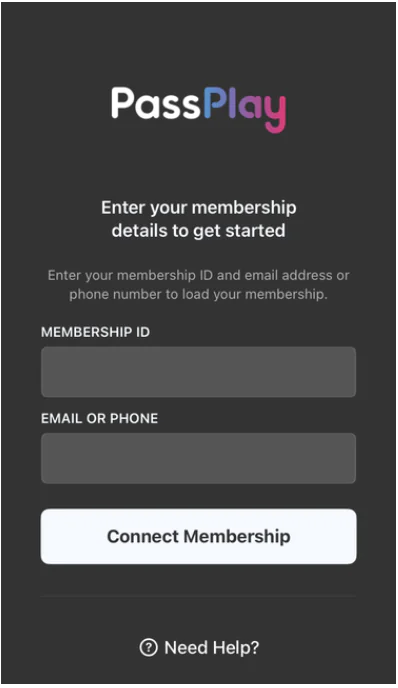
Once downloaded, open the PassPlay app on your phone.
STEP 3
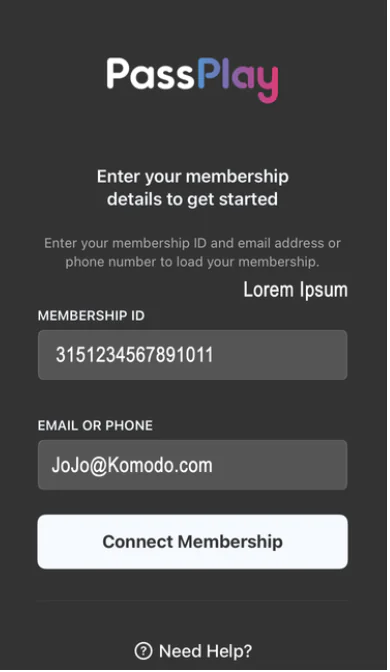
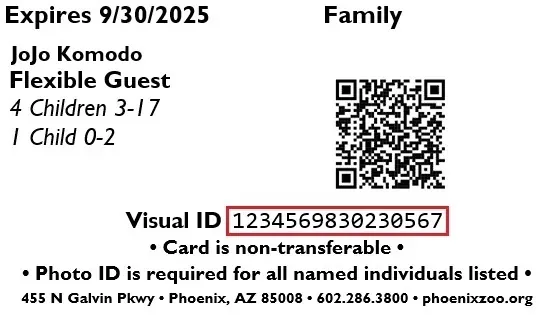
Enter in your email/phone number and Visual ID in the “Membership ID” area. Your Visual ID is found on your current membership card.
STEP 4
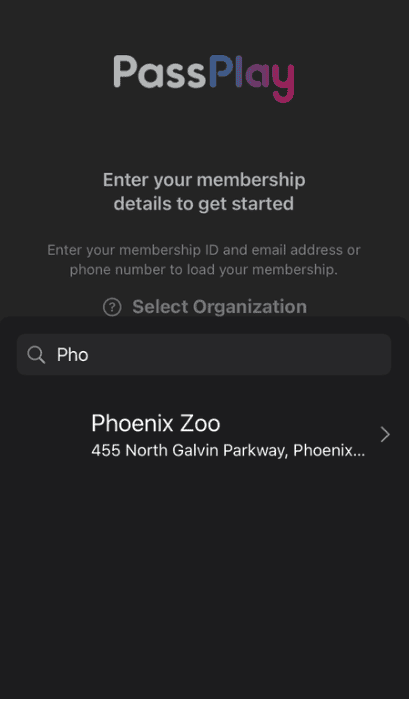
Click Connect Membership. Search for or scroll through the options to find the Phoenix Zoo in the list of organizations.
STEP 5
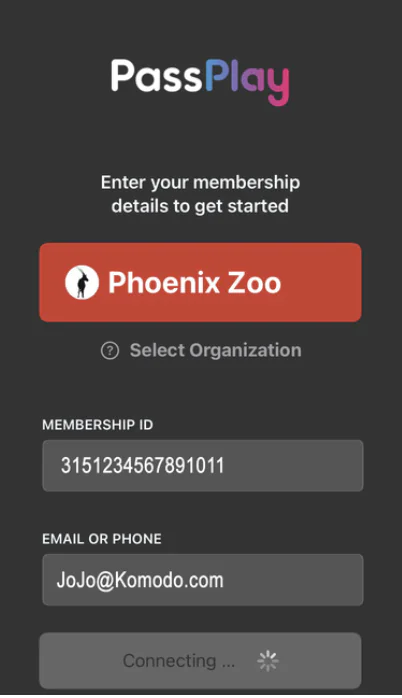
The app will then show you your membership ID and email/phone number and the Phoenix Zoo.
STEP 6
Once verified, PassPlay will open to your membership and the QR code for your membership. This should only take a few seconds.
STEP 7
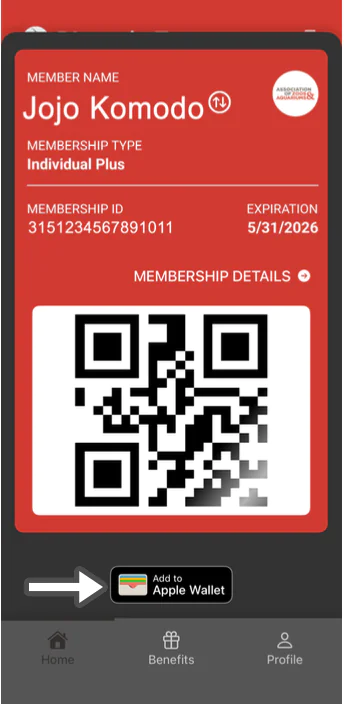
These can also be added to your Apple/Google wallets by choosing the add to wallet button on the app.
STEP 8
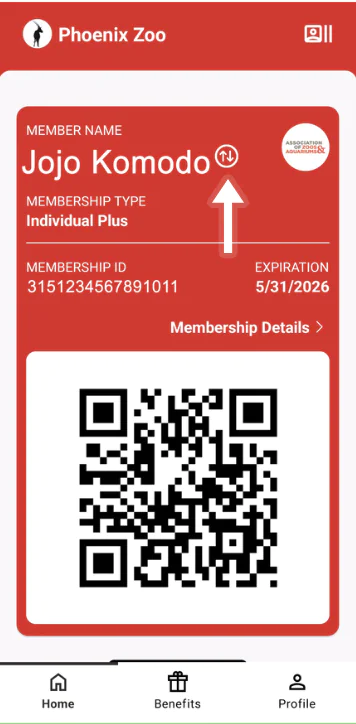
If more than one person is named on the membership, each person can load the same membership card to their app. The app will default to the primary person’s membership. To show another named member on the app, click on the up and down arrow next to the member name.
STEP 9
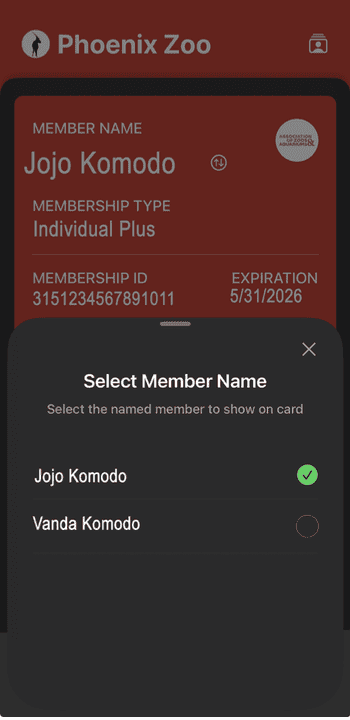
This will bring up a list of all the names on that membership.
STEP 10
Choose the name of the member you would like to show on the app and the main screen will update for that phone only.
To add your membership to the PassPlay app, you will need the “Visual ID” number located on the back of your Phoenix Zoo Membership card, just below the barcode or on the digital membership receipt sent when you purchased your membership.
Search with the phone number or email address the Primary Member has on file with the Phoenix Zoo. If you use the contact information of an additional cardholder, the system will not be able to find your membership.
If you cannot find your membership number or need to know what contact information we have on file, email membership@phoenixzoo.org or call us at 602.286.3800,
Plan your visit today!
The Phoenix Zoo is one of the largest non-profit zoos in the U.S., caring for over 3,000 animals, with nearly 400 species represented, including many threatened/endangered species.
Plan your visit today!
The Phoenix Zoo is one of the largest non-profit zoos in the U.S., caring for over 3,000 animals, with nearly 400 species represented, including many threatened/endangered species.